


A strong school promotional video should do more than look polished. It should help a prospective student or parent understand what makes the institution distinctive, see evidence of the student experience, and know what to do next.
Creating that video does not always require a large production budget. A recent smartphone, a reliable microphone, a clear script, and thoughtful editing can be enough to produce useful content for a program page, open house, email campaign, YouTube channel, or short-form social post.
The most effective approach is not to create one long institutional video and publish the same version everywhere. Schools can build a flexible video library by filming authentic stories once, then adapting the footage for different audiences, formats, and stages of the enrollment journey.
This updated guide explains how to plan, film, edit, distribute, optimize, and measure promotional videos for schools without losing sight of accessibility, privacy, brand accuracy, or recruitment results.
Struggling to stand out in a crowded market?
Boost Enrollment with Engaging Short Videos

What Makes a Good School Promotional Video?
An effective school video usually has five elements:
- A defined audience: The video is made for a specific group, such as prospective undergraduate students, parents, international applicants, adult learners, or accepted students.
- One primary message: The viewer should understand the main idea without having to remember a long list of institutional claims.
- Visible proof: Classrooms, laboratories, instructors, student work, campus spaces, outcomes, and authentic voices support the message.
- Accessible production: Clear audio, accurate captions, readable text, and sufficient contrast make the content easier to use.
- A relevant next step: The call to action matches the viewer’s stage, whether that is exploring a program, registering for an event, booking a tour, or starting an application.
Production quality matters, but clarity and credibility matter more. A simple student interview with strong audio and meaningful answers can be more persuasive than an expensive montage that provides little useful information.
Start With the Goal, Audience, and Call to Action
Before filming, identify what the video is expected to accomplish. A video intended to introduce the institution should not be evaluated in the same way as a program video designed to generate applications.
Common goals include:
- Increasing awareness in a new market
- Explaining a program or credential
- Showing the campus and student experience
- Building trust through student, parent, faculty, or alumni stories
- Answering admissions or financial-aid questions
- Increasing registrations for an open house or webinar
- Supporting accepted-student conversion
- Encouraging an application or information request
Use your student personas, admissions questions, CRM data, search queries, and website behaviour to decide who needs the video and what concern it should address.
Then select one primary call to action. A prospect watching an introductory social clip may be ready to explore the program, but not yet ready to apply. Someone watching an application tutorial may need a direct link to the application portal.
Choose the Right Format for the Message
There is no universal ideal video length. The right duration depends on the topic, platform, audience, and level of intent. The following ranges can be used as planning guides rather than fixed rules.
| Video purpose | Practical planning range | Possible channels |
|---|---|---|
| Short hook, event reminder, or social teaser | 15–45 seconds | Reels, TikTok, Shorts, paid social |
| Program benefit, student answer, or FAQ | 30–90 seconds | Social media, landing pages, email |
| Student testimonial or program overview | 1–3 minutes | YouTube, program pages, nurture emails |
| Campus tour or detailed admissions guide | 3–8 minutes | YouTube, website, accepted-student resources |
| Webinar, live Q&A, or information session | As long as the subject requires | YouTube, event platform, resource hub |
Remove slow introductions, repeated logos, and unnecessary context. The opening should quickly confirm what the viewer will learn or see. Longer videos can remain effective when the information is useful and the structure is easy to follow.
10 School Promotional Video Ideas
1. A concise institutional welcome
Introduce the school through a clear promise rather than a list of rankings and facilities. Show the people, learning environment, and outcomes that support the message. A leader can appear on camera, but a voice-over combined with authentic campus footage can also work well.
Oxford College uses a presenter and supporting footage to introduce its environment and benefits:

2. Program and classroom demonstrations
Show what students actually do. Film a laboratory exercise, design critique, clinical simulation, culinary demonstration, aviation lesson, student presentation, or collaborative project. Connect each activity to a skill or outcome instead of showing facilities without context.
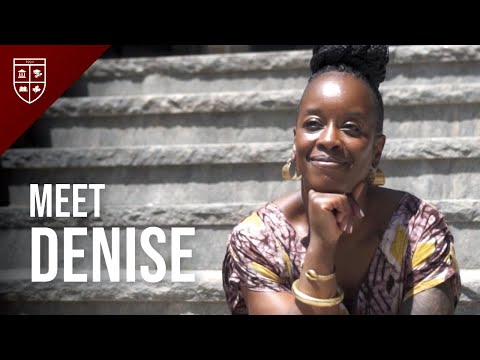
3. Student testimonials with specific questions
A useful testimonial goes beyond “I love this school.” Ask students what surprised them, how they selected the program, what support they received, what a typical week looks like, and what they plan to do after graduation.
Canadian Business College combines city footage with a student interview to create a simple narrative:
4. A day-in-the-life video
Follow one student through classes, study periods, meals, clubs, work placements, commuting, or residence life. Provide a light framework and shot list, but leave enough room for the student’s genuine perspective.
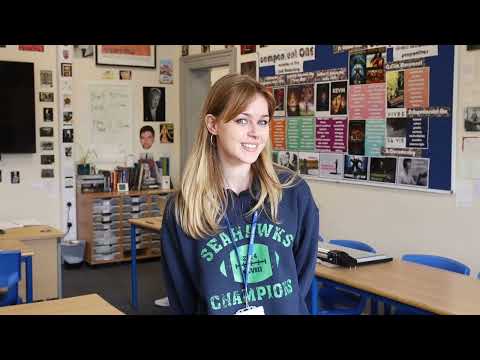
5. A campus or facilities tour
A tour should help viewers make a decision, not simply list buildings. Organize it around common questions: Where will students learn? Where can they receive support? What does a residence room look like? How do they travel between facilities?
Xavier College uses student ambassadors to make its tour more personal:
6. Admissions and application explainers
Create short videos explaining prerequisites, portfolio requirements, transfer credit, scholarships, study permits, deadlines, or the application process. These videos can reduce confusion and give admissions teams a reusable answer to frequent questions.
7. Faculty and support-service profiles
Introduce instructors, academic advisors, career services, accessibility teams, financial-aid staff, or international student support. Ask each person to explain how they help students rather than simply reciting a biography.
8. Career and alumni outcome stories
Show how the program connects to work, further study, professional licensing, entrepreneurship, or community impact. Describe the graduate’s path accurately and avoid presenting an exceptional outcome as a guaranteed result.
9. Open-house and event highlights
Capture the energy of an open house, graduation, showcase, competition, performance, or orientation. Record short reactions from attendees and staff while the experience is fresh. A short recap can promote the next event, while longer clips can support accepted-student communications.
10. Short answers to real student questions
Turn questions from admissions calls, search data, social comments, and information sessions into a repeatable video series. These videos are easier to produce consistently than large brand films and can support social discovery, program pages, email, and counselor follow-up.
Write a Simple Script and Shot List
A script keeps the video focused, but it should not make students or faculty sound unnatural. For interviews, prepare prompts and talking points rather than requiring every participant to memorize a paragraph.
A practical structure is:
- Hook: State the question, benefit, or point of interest immediately.
- Context: Explain why the topic matters to the intended student.
- Proof: Show the program, people, experience, or outcome.
- Next step: Give one clear and relevant action.
Create a shot list before filming. Include the main interview, wide campus views, close-ups of activities, student interactions, signage, accessibility features, and any visual evidence required to support the story.
Capture several seconds before and after each action. This provides room for editing and makes it easier to reuse footage in shorter versions.
Build a Low-Cost Video Production Setup
Schools can begin with a modest kit:
- A recent smartphone or camera capable of recording stable, high-resolution video
- An external lavalier, handheld, or directional microphone
- A tripod or small stabilizer
- A compact LED light or access to soft natural light
- Headphones for monitoring sound
- Enough storage, backup space, and battery capacity
Prioritize audio. Viewers may accept a simple image, but dialogue that is distorted, distant, or overwhelmed by background noise can make the entire video difficult to use.
Record in a quiet location, monitor the sound, and capture a short test before the full interview. Avoid placing a speaker directly in front of a bright window, and lock focus and exposure when the recording application allows it.
Use Editing Tools That Match Your Team’s Skills
A beginner-friendly editor should support trimming, captions, audio adjustment, brand templates, aspect-ratio changes, and exports without an intrusive watermark. Built-in computer and mobile editors may be sufficient for simple content. More advanced tools can help with transcripts, background noise, colour correction, and reusable templates.
AI-assisted features can speed up transcription, captioning, clip selection, translation, and resizing. Human review is still essential. Do not publish inaccurate captions, fabricated student statements, synthetic testimonials, or AI-generated scenes that could misrepresent the institution.
Film Once, Then Adapt for Different Platforms
Plan the shoot so the footage can work in horizontal and vertical formats. Keep important faces, text, and demonstrations near the central safe area. Capture additional close-ups and vertical shots when a horizontal crop would remove important context.
A single interview can become:
- A two-minute YouTube or program-page video
- Several vertical clips for Reels, TikTok, and Shorts
- A short paid advertisement
- A linked thumbnail in an email
- A transcript-based article or FAQ
- Still images and quotations for social posts
Create platform-native versions instead of publishing the same watermarked export everywhere. Adjust the opening, duration, captions, framing, and call to action for each placement.
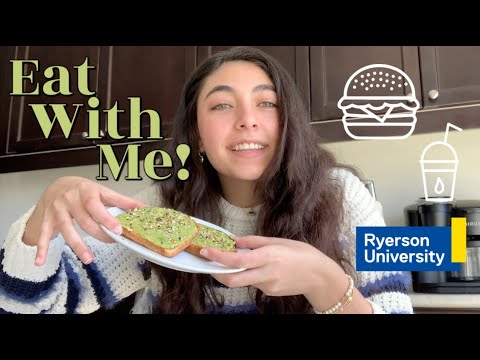
Use Student-Generated Video Responsibly
Student-generated content can make a school’s video strategy more credible and sustainable. Toronto Metropolitan University, for example, has shared student-created content that presents daily life through an individual student’s perspective:
Before filming or republishing student content, establish a process covering:
- Informed permission and release forms
- Guardian consent where required for minors
- How long the school may use the footage
- Which channels and paid campaigns are included
- Music, images, locations, and other third-party rights
- Whether the student can withdraw from future use
- Moderation, privacy, safeguarding, and emergency procedures
- Compensation, prizes, or disclosure requirements
A public hashtag does not automatically grant permission to reuse a video. Ask the creator, document the approval, and credit the person where appropriate.
Student ambassador programs can provide a more structured approach, with training, content expectations, account ownership, review procedures, and support.
Edit for Accessibility, Clarity, and Brand Consistency
Every video with meaningful speech or audio information should include accurate synchronized captions. Automatic captions can provide a starting point, but names, specialized terminology, accents, and program details must be reviewed manually.
The W3C’s accessibility guidance explains that captions should include the speech and other sounds needed to understand the video. A transcript can also help people who prefer text, use assistive technology, have limited bandwidth, or need to review information quickly.
Also review:
- Text size and contrast
- The time viewers have to read on-screen text
- Speaker identification
- Descriptions of essential visual information
- Background music volume
- Flashing or rapidly changing visuals
- Pronunciation and accuracy in translated versions
Keep logos, fonts, colours, and tone consistent with the school’s brand, but do not let a long animated introduction delay the content.
Distribute Promotional Videos Across the Student Journey
Use video strategically on the school website
Embed videos where they answer a question or demonstrate something the surrounding page cannot show as effectively. Relevant placements may include:
- Program and faculty pages
- Campus and residence pages
- Admissions and financial-aid resources
- Event landing pages
- Accepted-student portals
- Student story and alumni pages
Do not assume that an autoplaying hero video will improve results. Large background files can slow the page, consume mobile data, distract from the primary message, and negatively affect the user experience. Use a compressed poster image, a lightweight or click-to-play embed, and a clear play control. Measure the effect on page speed and conversions.
If a video is the primary purpose of a page and the school wants it to appear in Google video results, Google recommends a dedicated watch page, a stable video URL, a high-quality thumbnail, and consistent information about the video. Appropriate VideoObject structured data can help Google understand details such as the title, description, thumbnail, upload date, and duration.
Use a linked image in email
Support for directly embedded video varies across email clients. A dependable approach is to use a compelling thumbnail or short animated preview with a visible play button, then link to the video on the school’s website or an appropriate watch page.
Match the destination to the email’s audience and include a written call to action. Use campaign parameters so the school can measure visits and subsequent recruitment actions.
Publish native social versions
Choose channels based on the audience rather than assumptions about age alone. Review your own platform, website, and CRM data to determine where prospective students, parents, alumni, or adult learners engage.
Short-form videos should establish the topic quickly, use readable captions, and remain understandable when viewed without sound. Longer YouTube videos can support detailed tours, testimonials, program explanations, and information sessions.
Create multiple versions for paid campaigns
Do not rely on a single advertisement. Test meaningfully different hooks, speakers, proof points, lengths, and calls to action. Send each ad to a landing page that continues the same message and clearly presents the next step.
Evaluate lead quality, applications, and enrollments—not only views, likes, or inexpensive clicks.
Optimize Videos for YouTube and Google Search
Video optimization begins with relevance and usefulness, not keyword repetition.
- Title: Describe the subject accurately and place the most useful information early.
- Thumbnail: Use a clear custom image that represents the content without misleading viewers.
- Description: Summarize the video, identify the institution and program, and link to the most relevant next step.
- Captions and transcript: Provide accurate text that improves accessibility and understanding.
- Chapters: Add timestamps when they help viewers navigate a longer video.
- Website page: Surround the video with useful original text rather than publishing an empty embed page.
- Technical implementation: Use stable URLs, accessible players, crawlable thumbnails, and structured data where appropriate.
YouTube states that titles, thumbnails, and descriptions are more important for discovery than tags. Tags may help with common misspellings, but they should not be the centre of the optimization strategy.
Review Google’s current video SEO best practices and monitor important watch pages in Search Console.
Track Video Performance and Enrollment Outcomes
Views alone cannot determine whether a video supported recruitment. Select metrics based on the video’s purpose.
| Goal | Useful measures |
|---|---|
| Awareness | Reach, unique viewers, qualified impressions, new viewers |
| Engagement | Watch time, average percentage viewed, retention, shares, saves |
| Website action | Clicks, engaged visits, program-page views, event registrations |
| Lead generation | Validated inquiries, calls, bookings, form completion rate |
| Enrollment impact | Applications, qualified applicants, deposits, enrollments |
YouTube’s audience-retention report can reveal where viewers continue watching, rewatch a section, skip, or leave. Use those patterns to improve future openings, pacing, explanations, and calls to action.
On the website, use GA4 events and campaign parameters to connect video interactions with relevant key events. Where privacy and system capabilities permit, use CRM data to evaluate whether viewers later became qualified prospects, applicants, or enrolled students.
School Promotional Video Production Checklist
- Define the audience, goal, primary message, and CTA.
- Confirm the facts, program details, deadlines, and claims.
- Prepare the script, interview questions, and shot list.
- Secure participant, location, music, and footage permissions.
- Test the microphone, lighting, framing, storage, and batteries.
- Capture horizontal and vertical options.
- Edit several channel-specific versions.
- Add accurate captions and an accessible transcript where appropriate.
- Create a descriptive title, thumbnail, and destination page.
- Test embeds on mobile and review page performance.
- Add campaign tracking and validate analytics events.
- Measure retention, actions, applications, and enrollment outcomes.
- Set a review date so outdated facts or participants can be updated.
Frequently Asked Questions
How do you make a promotional video for a school?
Define one audience and goal, write a concise script, prepare a shot list, record clear audio and relevant visuals, add accurate captions, and end with one appropriate call to action. Create separate versions for the website, YouTube, short-form social media, email, or advertising.
How long should a school promotional video be?
There is no single ideal length. A social teaser may require only 15–45 seconds, while a testimonial may need one to three minutes and a detailed campus tour may need several minutes. Keep the video only as long as necessary to deliver useful information.
Can a school create a good video with a smartphone?
Yes. A recent smartphone can produce strong footage when paired with stable framing, good lighting, and an external microphone. Clear audio, planning, and authentic content usually matter more than owning an expensive camera.
What should a school promotional video include?
Include a clear audience benefit, authentic proof, people and places that support the message, accurate captions, and a relevant next step. Avoid relying only on generic campus montages or unsupported claims.
How can schools use student-generated video safely?
Obtain informed permission, document usage rights, follow safeguarding and privacy requirements, verify third-party music and footage rights, and provide clear guidance to student creators. Additional guardian consent may be required when minors are involved.
How should a school measure video marketing success?
Use watch time and audience retention to evaluate content quality, then connect clicks and website behaviour to inquiries, event registrations, applications, and enrollments. The right metric depends on the video’s original objective.
Schools do not need to choose between authentic low-cost content and strategic production. A repeatable process—supported by good audio, clear storytelling, accessible editing, thoughtful distribution, and enrollment measurement—can turn even a modest video budget into a useful library of recruitment assets.
Struggling to stand out in a crowded market?
Boost Enrollment with Engaging Short Videos


