


For schools reviewing their prospectuses, program brochures, and downloadable recruitment guides, PDF SEO raises an important publishing question: should this information live in a PDF, on a web page, or in both formats?
The answer depends on what prospective students need to do with the information. Current program details, tuition, admission requirements, intake dates and application instructions should generally have an authoritative HTML page. These are details students need to find quickly, verify easily and act on with confidence.
PDFs remain valuable for prospectuses, viewbooks and designed resources that students, parents, counselors and education agents may want to download, print or share.
The challenge arises when a school relies on a lengthy PDF to communicate information that changes frequently or directly influences enrollment decisions.
For example, a prospective student checking application deadlines should not have to search through a 60-page prospectus to find the relevant information. This distinction should guide how schools publish recruitment content.
The web page should provide the current answer. The PDF should offer additional value.
When these formats work together, schools can improve search visibility, maintain consistent information, and create clearer pathways from initial research to inquiry or application.
Turn prospectus views into inquiries
Make your content easier to find. Give students a clear next step.

Should Your School Publish This Information as HTML, PDF, or Both?
The decision between PDF vs HTML should begin with the content’s purpose, how frequently it changes and what students need to accomplish.
| Content Type | Recommended Format | Reason |
|---|---|---|
| Program overviews | HTML | Supports search, updates and program inquiries |
| Current tuition and fees | HTML | Requires accuracy and regular maintenance |
| Admissions requirements | HTML | Provides an authoritative, linkable reference |
| Intake dates and deadlines | HTML | Time-sensitive information |
| Application instructions | HTML | Connects directly to application processes |
| Career outcomes | HTML | Supports research and program comparison |
| Institutional prospectus | PDF + HTML landing page | Combines portability with online discovery |
| Annual viewbook | PDF + supporting HTML | Supports visual storytelling and sharing |
| Program brochure | HTML first, PDF optional | Provides a convenient downloadable summary |
| Agent or counselor guide | PDF + HTML reference | Useful for offline recruitment |
| Formal annual publication | PDF, with supporting HTML where appropriate | Preserves a fixed publication |
| Interactive program comparison | HTML | Requires navigation and interaction |
The key is establishing which version contains the authoritative information.
For example, if a program page lists tuition as $19,500 but an earlier brochure lists $18,000, prospective students should not have to determine which amount is correct.
Schools can prevent this by maintaining current information on designated HTML pages and directing downloadable materials back to those sources. That does not require creating an identical HTML copy of every prospectus. It requires a clearly defined publishing hierarchy.
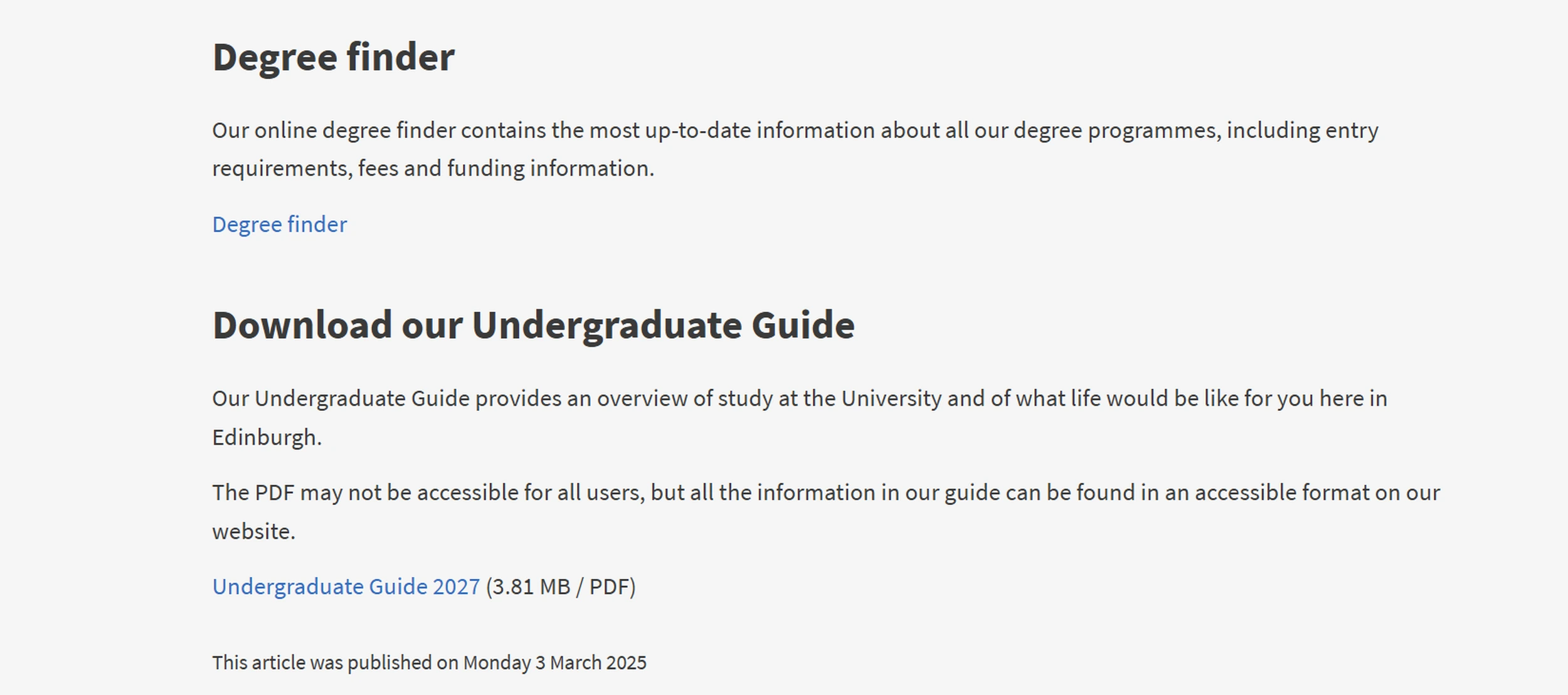
The University of Edinburgh separates its downloadable recruitment guide from its authoritative online program information. Its 2027 Undergraduate Guide provides a broad introduction to studying and living in Edinburgh, while the university directs prospective students to its online Degree Finder for the most up-to-date program details, entry requirements, fees and funding information. This creates a clear publishing hierarchy: the PDF supports exploration, while current decision-critical information remains online.
Why Should Current Program and Admissions Information Usually Live in HTML?
HTML is generally more suitable for information that changes frequently or supports immediate enrollment decisions.
Program details can be updated without replacing a publication. Tuition pages can distinguish between domestic and international fees. Admissions teams can revise deadlines and requirements as institutional policies change.
HTML also provides several practical advantages.
Easier Navigation and Mobile Access
Prospective students often research institutions on mobile devices.
A responsive program page can organize essential details into clearly labeled sections, allowing visitors to move directly to tuition, entry requirements or application instructions.
Large PDFs with complex layouts may require additional zooming and scrolling, particularly on smaller screens.
Stronger Internal Linking and Conversion Pathways
HTML allows institutions to connect related information naturally.
A student exploring a healthcare program can move from the program overview to admissions requirements, tuition information, career outcomes and an inquiry form.
These connections support both website navigation and search engine discovery.
Greater Control Over Content Structure
Schools can organize HTML pages using meaningful headings, descriptive links and relevant structured data.
Where applicable, structured data can help search engines interpret specific page information, although it does not guarantee enhanced search visibility.
The University of Manchester uses an online undergraduate prospectus rather than requiring students to rely on a single downloadable document. Its current prospectus lets prospective students search courses for 2027 entry and connects them directly to application preparation, entry requirements, deadlines, fees and funding. The approach keeps high-value recruitment information within an interconnected web experience where students can research and continue toward an application.

For schools, the principle is straightforward: if information helps a student make a current enrollment decision, it should be easy to find and use on the website.
When Does a PDF Still Make Sense for a School Prospectus?
PDFs remain useful when the format offers something beyond what a standard web page provides.
A prospectus may combine campus photography, student testimonials, program highlights, facilities and institutional information into a carefully designed publication.
This is particularly valuable when students want to explore an institution more broadly rather than answer one specific question. PDFs are also practical for education fairs, agent presentations, printed recruitment materials and offline reference.
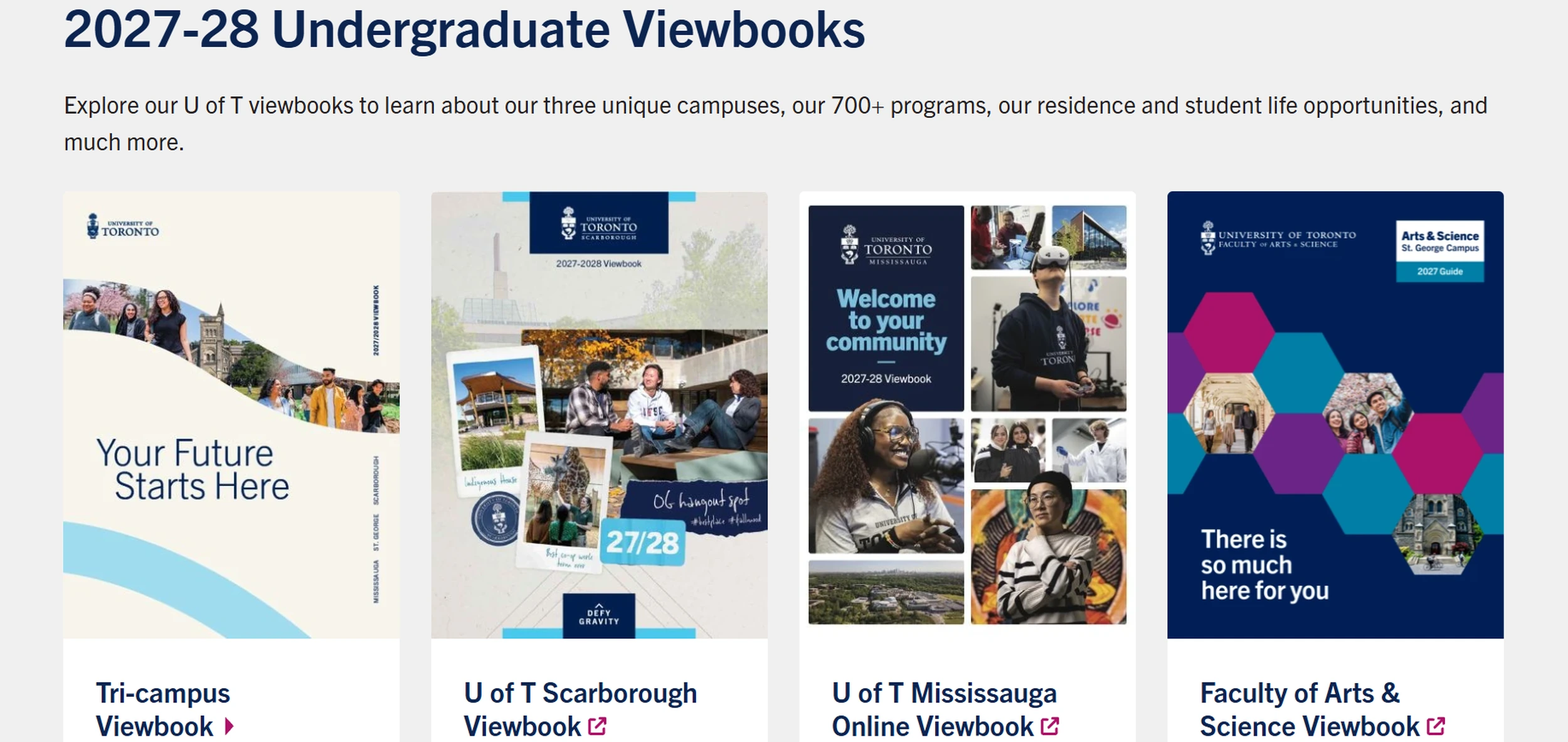
The University of Toronto maintains a central viewbooks page for its 2027–28 undergraduate recruitment publications. Students can access a tri-campus resource as well as publications for individual campuses and faculties, including Engineering, Arts & Science and Rotman Commerce. The university also separates its 2027–28 domestic and international undergraduate admissions bulletins, showing how downloadable publications can be organized around distinct information needs and audiences.
The University of Alberta takes an audience-specific approach to downloadable recruitment content. Its 2027–28 publications include separate undergraduate, international and transfer-student viewbooks, campus-specific publications for Augustana and Campus Saint-Jean, and faculty viewbooks covering areas such as Business, Engineering, Nursing and Science. Rather than asking one prospectus to serve every reader, the university organizes downloadable resources around different student and program needs.
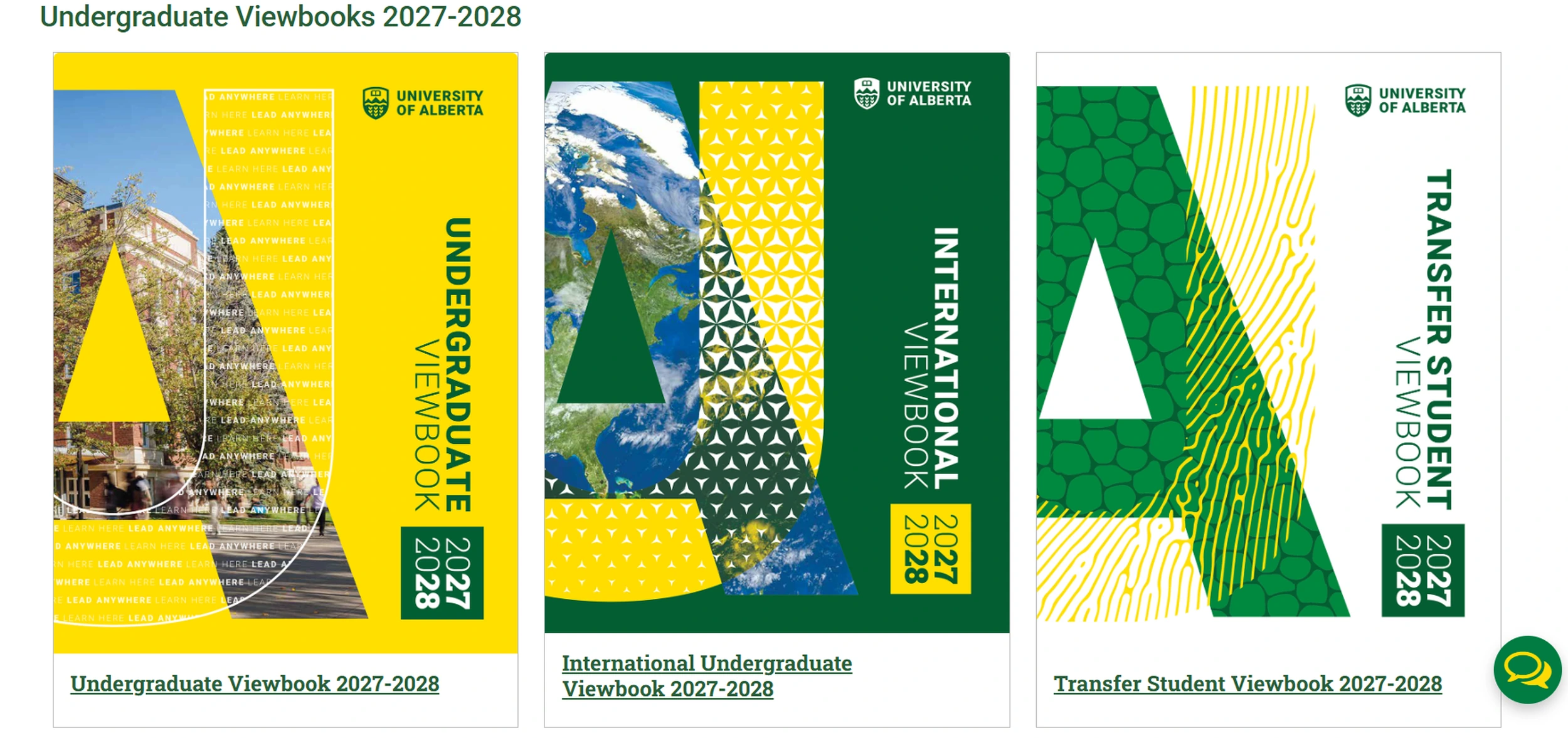
This illustrates how downloadable resources can support distinct recruitment audiences without replacing the institution’s central information sources.
A well-designed PDF should therefore function as a curated resource that helps students explore and share information, while directing them online when they need current details or want to take action.
Can Google Find and Index School PDFs?
Yes. Google explicitly identifies Adobe PDF as an indexable file format. This means publicly accessible PDF documents can appear in Google Search results.
For schools, that creates opportunities and potential risks. A current prospectus may attract prospective students searching for programs or institutional information.
However, an outdated tuition guide, discontinued program brochure or superseded prospectus may also remain discoverable. A PDF appearing in search results is not necessarily the document the institution wants students to consult.
How Can Schools Identify Indexed PDFs?
A useful starting point is a Google search using the school’s domain and the filetype:pdf operator.
For example:
site:examplecollege.ca filetype:pdf
This can help identify publicly discoverable PDFs, although search operators do not provide a complete index inventory.
Schools should supplement the search with their CMS file library, website crawl data, and relevant Search Console reporting. The next step is to assess whether each document is current, valuable, and appropriately indexed.
Google’s ability to index PDFs does not automatically make them the best primary format for recruitment information.
What PDF SEO Best Practices Should Schools Follow?
Once a school decides to publish a PDF, optimization should be part of the production process rather than an afterthought.
Effective PDF SEO best practices combine document structure, accessibility, search management and student experience.
| Element | Recommended Practice |
|---|---|
| File name | Use descriptive names such as nursing-program-guide-2027.pdf |
| Document title | Add a clear, meaningful title in PDF metadata |
| Text | Use selectable text instead of image-only pages |
| Headings | Apply properly structured heading tags |
| Navigation | Include bookmarks for longer documents |
| Images | Provide alternative text where necessary |
| Links | Connect readers to current program and admissions pages |
| Academic year | Identify the relevant publication period |
| File size | Optimize for practical mobile downloading |
| Indexing | Decide whether the document should appear in search |
| Accessibility | Test the exported PDF before publication |
Why Does Document Structure Matter?
A prospectus designed entirely as full-page images may look attractive but can make its underlying text difficult for search engines and assistive technologies to interpret.
Where possible, schools should create PDFs from properly structured source files rather than flattening their content into images. They should also check document titles, heading structures and internal navigation after export.
The University of Cambridge’s web-publishing guidance treats downloadable documents as a usability and accessibility consideration. Cambridge advises editors to consider whether content would work better as a web page before uploading a PDF. It also calls for accessible document structure, including titles, headings, and alternative text for images. Editors should identify a downloadable file’s type and size in its link text so readers understand what they are opening.
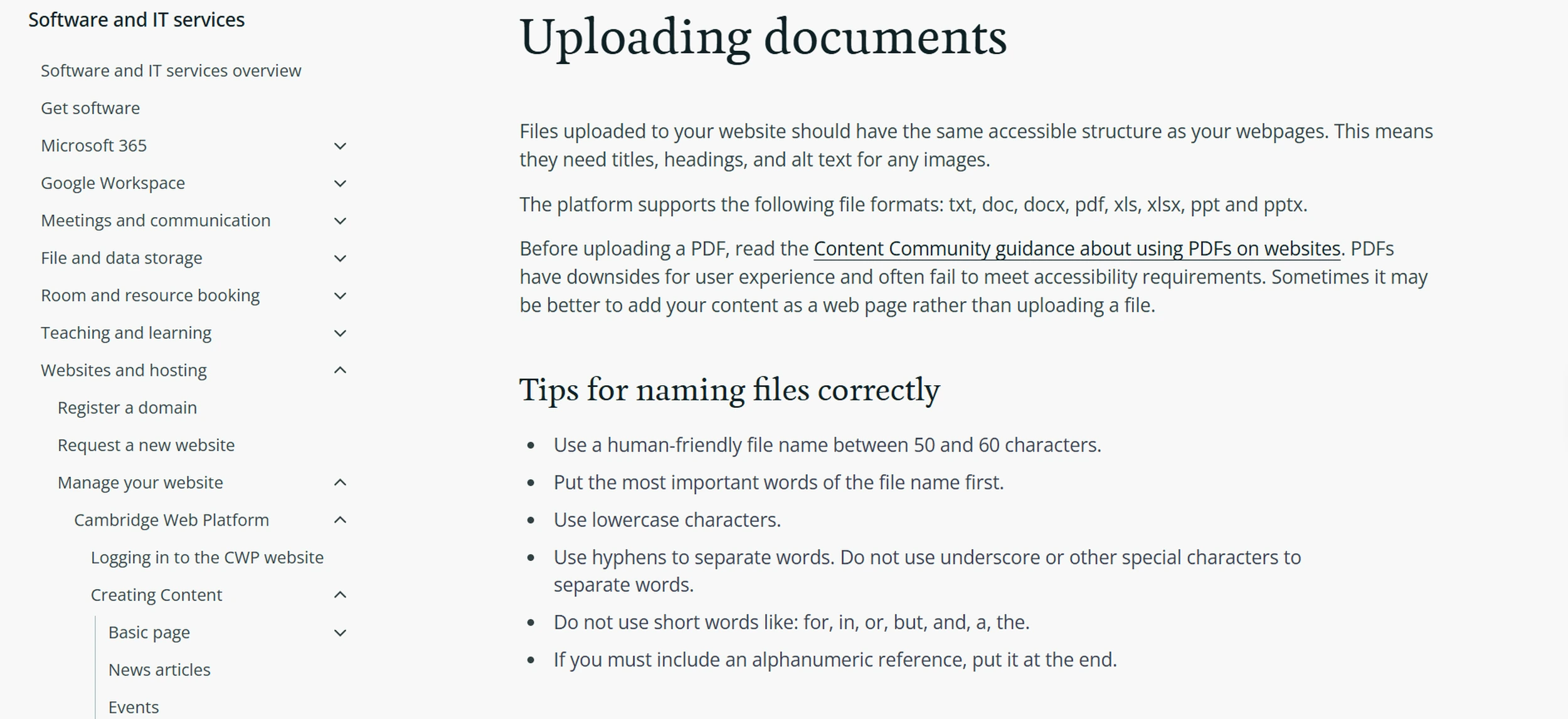
These improvements make documents easier to navigate and more technically usable. For extensive publications, bookmarks can help readers jump directly to sections such as program information, student services or admissions.
How Should Schools Handle Duplicate HTML and PDF Content?
When schools publish substantially identical information in HTML and PDF formats, they should consider which URL search engines should treat as the preferred version. Google supports canonicalization for this purpose.
When Should Schools Use a Canonical Header?
For standard HTML pages, canonical URLs can be indicated through an HTML rel="canonical" element.
PDFs cannot contain that HTML element. Instead, Google supports a canonical HTTP response header for non-HTML documents.
For example, a school might publish a comprehensive Business Administration program page alongside a PDF containing nearly identical information.
If the HTML page should be the preferred search result, the web team can configure the PDF’s HTTP response to point to that page as canonical.
Google explains this approach in its canonicalization documentation. Canonicalization is a signal, not an absolute instruction. Google may select a different canonical URL.
When Is Noindex More Appropriate?
If a school wants a PDF to remain available for download but not appear in Google Search, it can use an X-Robots-Tag: noindex HTTP response header.
This differs from canonicalization because the purpose is to exclude the document from indexing rather than identify a preferred duplicate. Google’s noindex guidance explains how this applies to non-HTML resources.
Blocking a PDF through robots.txt does not reliably remove it from search results. Google must be able to crawl the resource to read its noindex instruction.
Does Every Prospectus Need Canonicalization?
No. A distinctive annual viewbook containing student stories, photography and other unique institutional content may deserve its own search visibility.
Canonicalization is most relevant when documents contain substantially duplicated information. Schools should therefore make indexing decisions according to each document’s purpose rather than applying one rule to every PDF.
How Can Schools Make Prospectus PDFs More Accessible?
PDF accessibility is essential to ensuring prospective students can use recruitment materials regardless of disability or assistive technology requirements.
A visually appealing prospectus may still create barriers if its content cannot be navigated logically or interpreted by screen readers.
The World Wide Web Consortium (W3C) provides PDF accessibility techniques illustrating ways to meet the Web Content Accessibility Guidelines (WCAG).
Schools should pay particular attention to the following elements:
- Tagged structure: Identify headings, paragraphs, lists, and tables correctly.
- Reading order: Ensure assistive technologies present information in a logical sequence.
- Alternative text: Describe meaningful images that convey information.
- Bookmarks: Provide navigation for lengthy documents.
- Accessible links: Use descriptive link text rather than unexplained URLs.
- OCR: Convert scanned documents into usable text when original source files are unavailable.
- Testing: Assess the final PDF using accessibility tools and manual checks.
Automated testing alone is insufficient. Reading order, complex tables and meaningful image descriptions may require human review.
Edinburgh also makes the limitation of the format explicit: its Undergraduate Guide page warns that the PDF may not be accessible to every user and directs readers to equivalent website content in accessible formats. This is a useful reminder that an accessible web alternative should be part of the publishing decision, not an afterthought.
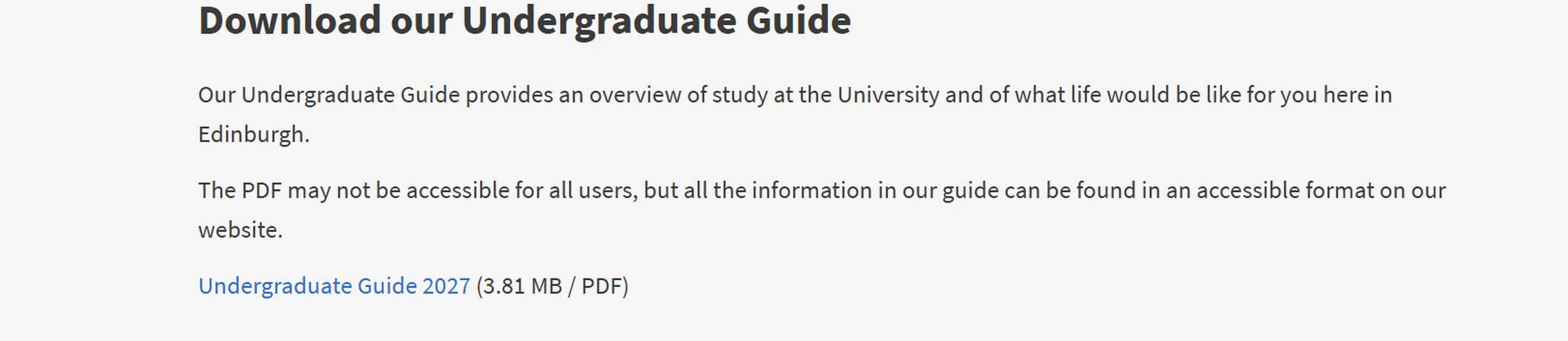
This demonstrates an important principle: accessibility should influence the choice of publishing format, not simply the final technical review.
Where schools cannot reliably produce and maintain accessible PDFs, authoritative HTML content becomes even more important.
What Does PDF Publishing Mean for AI Search?
The growth of AI-powered search introduces another reason for schools to maintain consistent, authoritative recruitment information. However, PDF SEO is not a guaranteed route to AI Search visibility.
AI search systems may use information from different publicly accessible sources, but their retrieval methods and citation practices vary. Schools cannot assume that publishing a PDF or implementing a particular technical optimization will result in an AI-generated recommendation or citation.
For frequently changing information, current first-party HTML should remain the most dependable institutional reference.
Why Does Consistency Matter?
Consider a career college whose program page lists a 12-month qualification while an older PDF describes the same program as lasting 16 months.
Both documents may remain publicly accessible. A prospective student researching the course could encounter conflicting information, regardless of whether they discover it through traditional search or an AI-powered interface. This creates a content-governance problem.
Schools should prioritize consistency across:
- Program names and credentials
- Tuition and additional fees
- Program duration and delivery formats
- Admission requirements
- Campus locations
- Intake dates and application deadlines
Clear, structured AI search content should reflect accurate institutional information and connect readers to relevant next steps.
For institutions reviewing these challenges, HEM’s AI Search and SEO services for schools focus on improving search visibility and strengthening the information prospective students encounter.
The objective is to establish reliable information across the institution’s digital presence, not to pursue AI citations at the expense of accuracy.
How Can a PDF Move Prospective Students Toward Inquiry or Application?
A prospectus should help prospective students take the next step, even when they discover it outside the school’s website. Someone may download a PDF from Google, receive it from an education agent, or save it for later review. Each scenario creates an opportunity to reconnect the reader with the institution’s current enrollment process.
Build Clear Conversion Pathways Into the PDF
Important sections should include links to relevant destinations. For example, a healthcare program overview might direct students to its current program page, tuition details, admission requirements, and inquiry form.
Similarly, a section on campus life could link to an upcoming information session or virtual tour.
Effective calls to action include:
- Explore Program Requirements
- View Current Tuition and Fees
- Speak With Admissions
- Request Program Information
- Start Your Application
Digital PDFs should contain clickable links with descriptive anchor text. QR codes can complement these links in printed materials, but they should not replace accessible digital navigation.
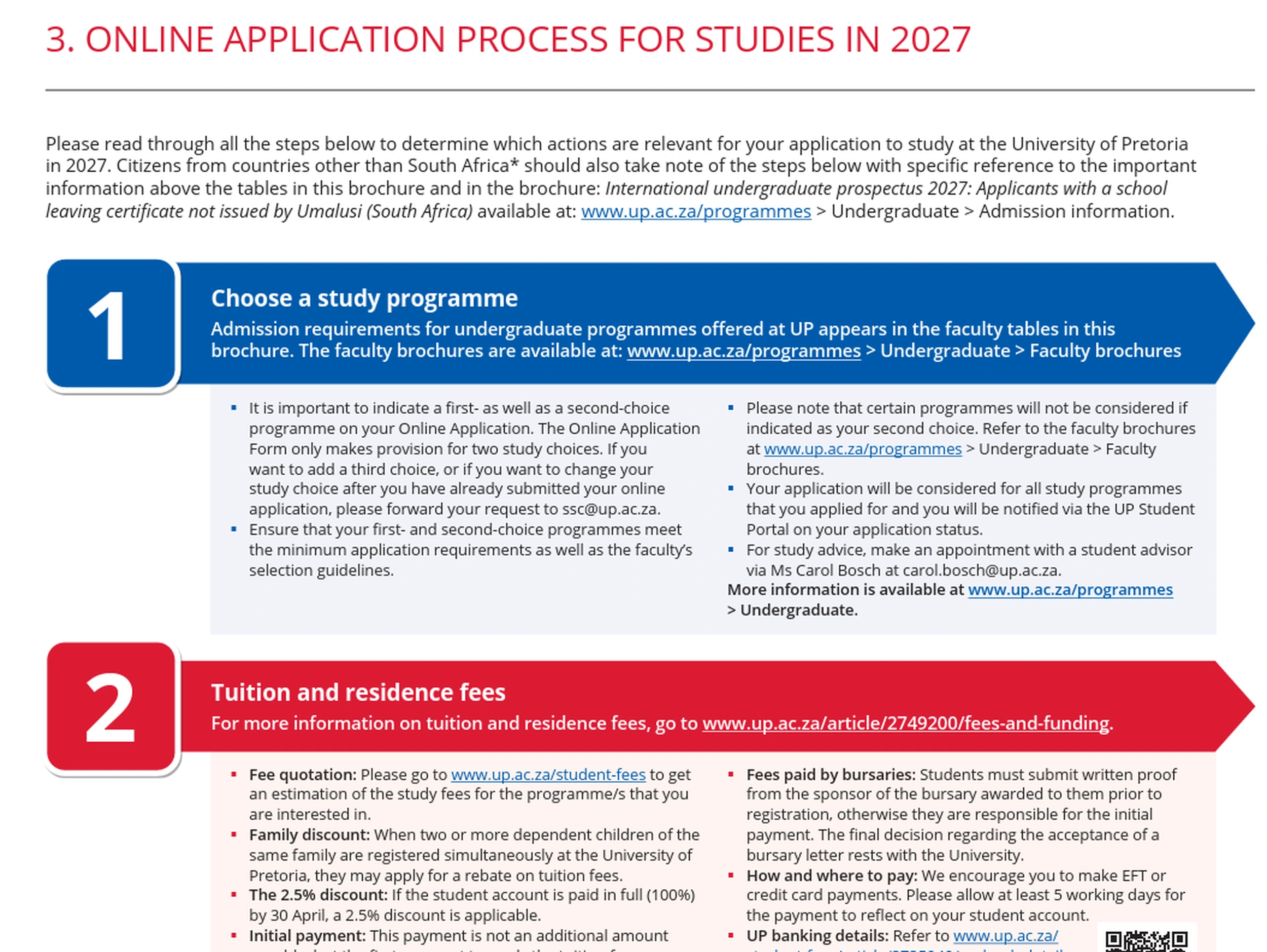
The University of Pretoria’s 2027 undergraduate prospectus connects the publication to maintained online services. Its application-process section directs students to program resources, tuition and funding information, online applications and accommodation information, using web addresses and QR codes where appropriate. The PDF provides context while directing time-sensitive actions back to the university’s website.
Measure Engagement Beyond Downloads
A high number of prospectus downloads does not necessarily indicate strong recruitment performance. Schools should also determine whether readers return to the website and complete meaningful actions.
Tagged destination URLs can help identify traffic originating from a PDF, while website analytics can measure downloads and subsequent actions where technically supported.
For example, a career college might discover that students frequently download its program guide but rarely visit the admissions page. That finding could justify revising the guide’s internal links and CTA placement.
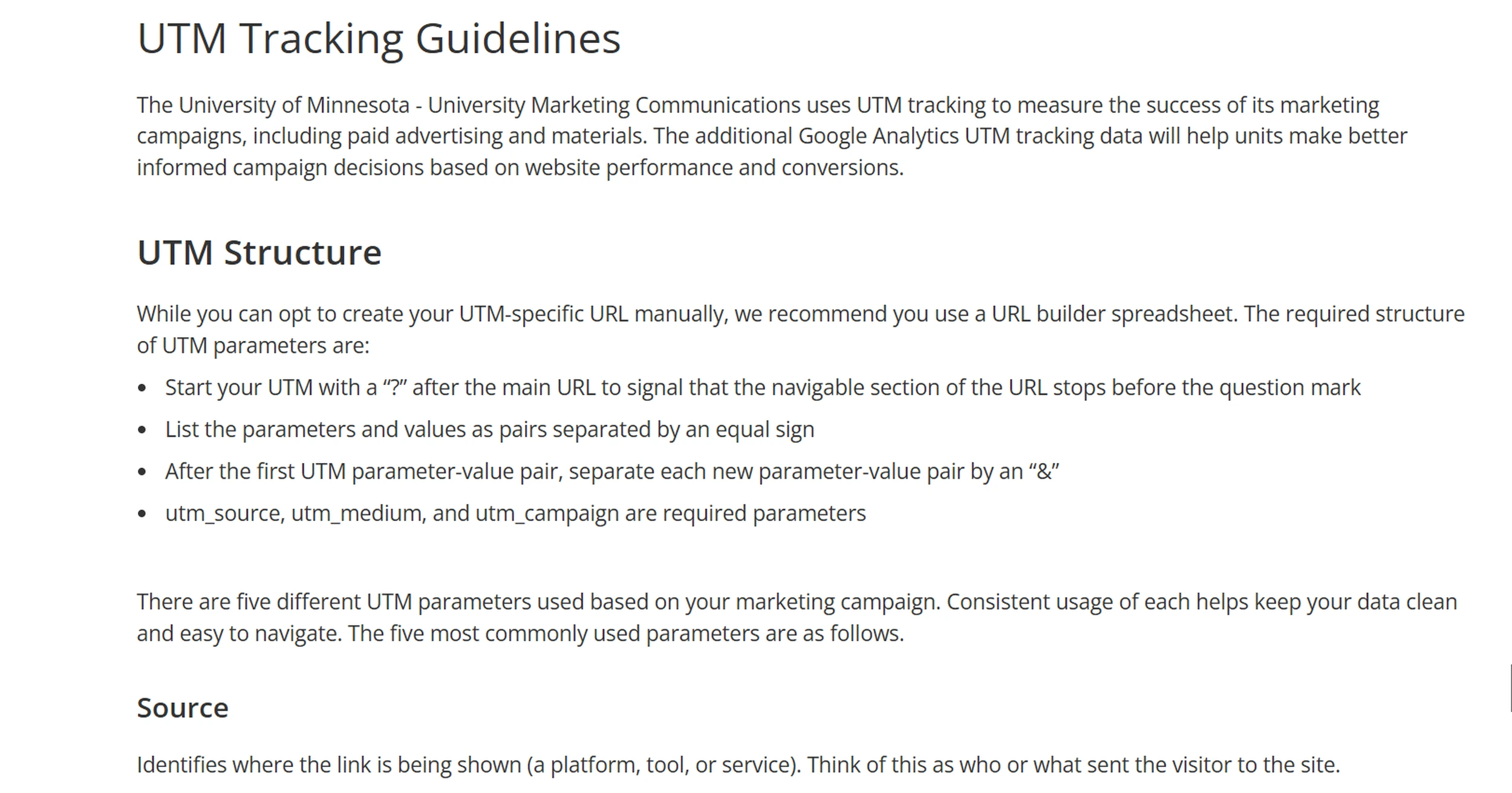
The University of Minnesota provides a practical model for this type of campaign measurement. Its University Marketing Communications team uses UTM parameters to identify traffic sources and measure website performance and conversions from marketing materials. Schools can apply the same method to links embedded in recruitment PDFs so visits returning from a guide or prospectus can be distinguished from other traffic.
The conversion objective should remain clear: the PDF helps prospective students explore, while the website enables them to act.
What Should Schools Do With Old Prospectus PDFs?
Annual prospectuses require ongoing management. Without a retirement process, schools can accumulate multiple editions containing outdated tuition, discontinued programs or expired deadlines.
These documents may remain accessible through historical links, search results or external websites. A practical review should distinguish between three situations.
Current Publications
The latest edition should be prominently accessible from the relevant prospectus or recruitment page. The publication year and intended audience should be clear.
Superseded Publications
Where an older PDF has no independent value, schools should consider removing it or redirecting its URL to the most relevant current resource. A permanent redirect is appropriate when a newer document genuinely replaces the old one.
Historical Publications
Some editions have legitimate archival value. These may remain available with clear publication dates and appropriate contextual information. Depending on their purpose, schools can also consider whether they need continued search visibility.
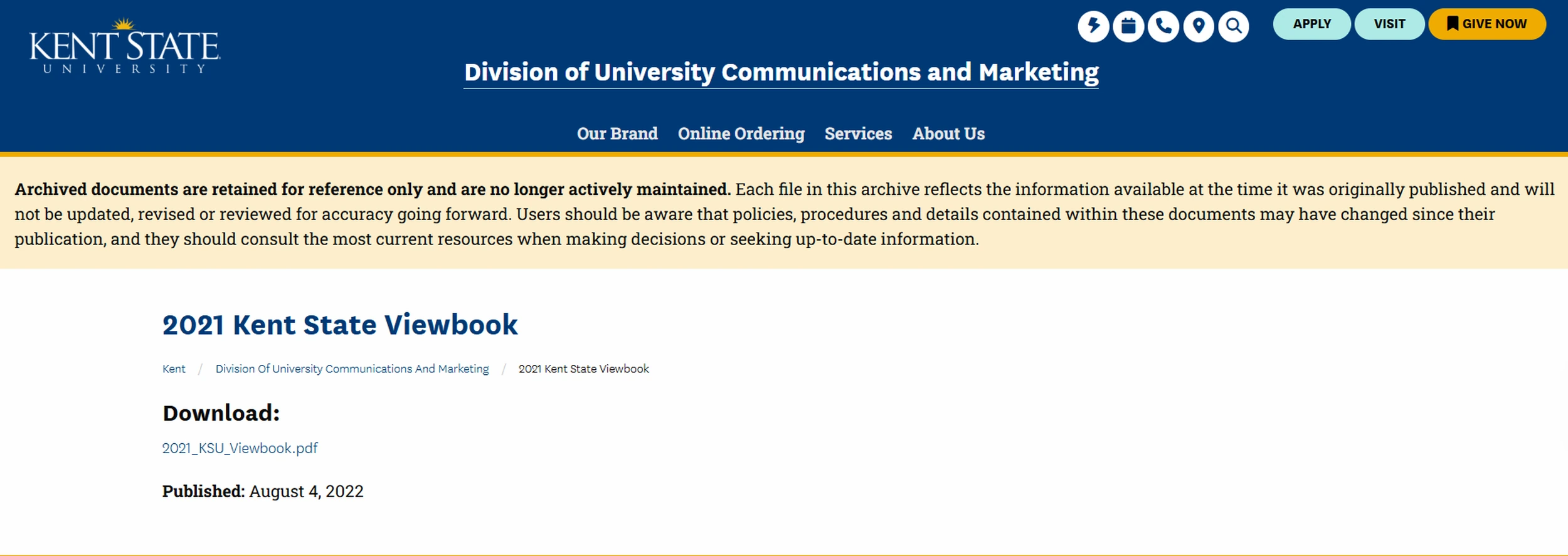
Kent State University shows how historical recruitment publications can remain available without being presented as current information. Its archive includes earlier admissions viewbooks and prominently states that archived files are retained for reference, are no longer actively maintained, and may contain policies or details that have changed. Readers are directed to consult current resources when making present-day decisions.
Assign Ownership Before Problems Occur
Every prospectus should have a designated content owner and review schedule. Marketing may manage publication, but admissions, academic departments and finance teams may need to verify particular sections.
Schools should also maintain a PDF inventory during website migrations and redesigns. Old links embedded inside downloadable guides can continue directing prospective students to incorrect destinations long after the website itself has been updated.
Effective school prospectus SEO therefore depends on ongoing content governance as much as initial optimization.
A Practical PDF-versus-HTML Publishing Checklist
Before publishing or updating a prospectus, program guide or downloadable brochure, schools should review the following questions.
Content and Format
- Does frequently changing information have an authoritative HTML page?
- Does the PDF offer genuine value through design, portability, or print use?
- Are program details, tuition and deadlines consistent across formats?
- Is the intended audience and academic year clearly identified?
SEO and Accessibility
- Does the PDF contain selectable, structured text?
- Are document titles, headings, links, and bookmarks appropriate?
- Have reading order, image alternatives, and accessibility been tested?
- Has the school decided whether the PDF should be indexed?
- If content substantially duplicates HTML, has canonicalization been considered?
Student Experience and Conversion
- Can students easily reach current program and admissions pages?
- Are inquiry and application links clearly presented?
- Do QR codes supplement rather than replace accessible links?
- Can the school measure relevant downloads and website actions?
Maintenance
- Have superseded editions been reviewed?
- Is someone responsible for future updates?
- Are older links and redirects functioning correctly?
- Is there a process for reviewing PDF content when institutional information changes?
This checklist helps content teams make consistent publishing decisions and reduces the risk of contradictory recruitment information.
Final Thoughts: Make HTML the Source and PDF the Resource
PDFs are not inherently problematic for search engines. Google can index them, prospective students can discover them, and well-designed publications remain valuable recruitment resources. The challenge is deciding which information belongs in which format.
Current program details, tuition, admissions requirements and application instructions generally work best on authoritative HTML pages that schools can update, link and connect directly to enrollment processes.
PDFs can complement these pages by bringing information together in an accessible, portable and visually engaging format.
For education marketing teams, a successful publishing strategy therefore begins with three priorities: information accuracy, student usability and clear conversion pathways.
When schools establish an authoritative source, optimize their downloadable resources, manage outdated editions, and connect PDFs to current website content, both formats can contribute to a more effective recruitment experience.
Each format should serve a clear purpose within the student’s journey.
Are Your Prospectuses and Program Pages Working Together?
Want to know whether your school’s downloadable guides and web content are supporting or competing with one another?
Explore HEM’s AI Search and SEO services for schools to identify opportunities to improve content accuracy, search visibility, and the path from discovery to inquiry and application.
Turn prospectus views into inquiries
Make your content easier to find. Give students a clear next step.
FAQ
Are PDFs bad for SEO?
No. Google can index PDF files and PDFs can appear in search results. The question is whether PDF is the most useful format for the information. Frequently changing program and admissions information is usually better maintained in HTML, while PDFs can complement it as downloadable resources.
Can Google index a school prospectus PDF?
Yes. PDF is one of Google’s supported indexable file types. Schools should therefore assume that publicly linked prospectuses may become discoverable through search and should keep those documents accurate and current.
Should a school publish its prospectus in both HTML and PDF?
Often, yes, but the formats do not need to duplicate one another exactly. HTML can provide current program, admissions, and tuition information, while the PDF can function as a visually designed overview or downloadable guide.


